조회 수 14082 추천 수 0 댓글 0
?

단축키

Prev이전 문서

Next다음 문서

크게 작게 위로 아래로 댓글로 가기 인쇄 첨부
?

단축키

Prev이전 문서

Next다음 문서

크게 작게 위로 아래로 댓글로 가기 인쇄 첨부

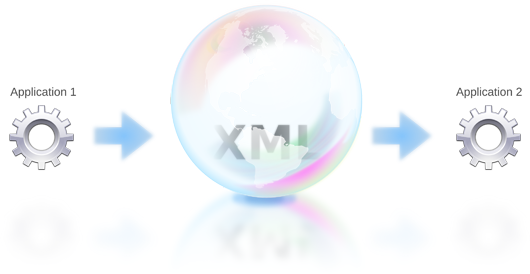
SOAP(Simple Object Access Protocol)은 일반적으로 널리 알려진 HTTP, HTTPS, SMTP 등을 통해 XML 기반의 메시지를 네트워크상에서 교환하는 프로토콜이다.
KDSoap.png


원격 프로시져 호출(Remote Procedure Call:RPC) 패턴으로, 네트워크 노드(클라이언트)에서 다른 쪽 노드(서버)쪽으로 메시지를 요청 하고, 서버는 메시지를 즉시 응답하게 된다.


KDSoap은 Qt를 사용하는 C++응용 프로그램에서 SOAP 가능하도록 하는 3rd party 오픈소스 컴포넌트이다. 웹서비스 용 클라이언트 응용프로그램을 만드는데 사용될 수 있으며 전용 웹 서버와 같은 추가구성요소 없이 웹서비스를 생성할 수 있는 수단을 제공한다.


빌드환경:
Windows10
mingw73-32
Qt5.12.4


소스코드 체크아웃
git clone https://github.com/KDAB/KDSoap.git
$ git checkout remotes/origin/kdsoap-1.9.0-release
 
Qt용 명령 프롬프트
E:\project\opensource\KDSoap>c:\Python27\python.exe autogen.py -shared -release
 
-- Using source directory: E:\project\opensource\KDSoap
-- Using repository information: revision=kdsoap-1.9.0 isTagged=True
-- Auto-generation done.
-- License marked as accepted.
-- Wrote build files to: E:\project\opensource\KDSoap
-- Now running configure script.
 
 
E:\project\opensource\KDSoap>Qt found: C:/Qt/Qt/5.12.4/mingw73_32
KDSoap v1.9.0 configuration:
 
  Debug...................: no (default: no)
  Release.................: yes (default: yes)
  Shared build............: yes (default: yes)
  Compiled-In Unit Tests..: no (default: no)
 
Info: creating stash file E:\project\opensource\KDSoap\.qmake.stash
Project MESSAGE: No install prefix given, using default of C:\KDAB\KDSoap-1.9.0 (use configure -prefix DIR to specify)
Project MESSAGE: Install prefix is C:\KDAB\KDSoap-1.9.0
Project MESSAGE: This is KD Soap version 1.9.0
Reading E:/project/opensource/KDSoap/kdwsdl2cpp/kdwsdl2cpp.pro
Reading E:/project/opensource/KDSoap/kdwsdl2cpp/libkode/libkode.pro
Reading E:/project/opensource/KDSoap/kdwsdl2cpp/common/common.pro
Reading E:/project/opensource/KDSoap/kdwsdl2cpp/schema/schema.pro
Reading E:/project/opensource/KDSoap/kdwsdl2cpp/wsdl/wsdl.pro
Reading E:/project/opensource/KDSoap/kdwsdl2cpp/src/src.pro
  Reading E:/project/opensource/KDSoap/kdwsdl2cpp/src/kdwsdl2cpp_lib.pro
  Reading E:/project/opensource/KDSoap/kdwsdl2cpp/src/kdwsdl2cpp.pro
Reading E:/project/opensource/KDSoap/src/src.pro
Reading E:/project/opensource/KDSoap/src/KDSoapClient/KDSoapClient.pro
Reading E:/project/opensource/KDSoap/src/KDSoapServer/KDSoapServer.pro
Reading E:/project/opensource/KDSoap/features/features.pro
Reading E:/project/opensource/KDSoap/include/include.pro
Reading E:/project/opensource/KDSoap/include/KDSoapClient/KDSoapClient.pro
Reading E:/project/opensource/KDSoap/include/KDSoapServer/KDSoapServer.pro
Reading E:/project/opensource/KDSoap/examples/examples.pro
Reading E:/project/opensource/KDSoap/examples/helloworld_client/helloworld_client.pro
Reading E:/project/opensource/KDSoap/examples/helloworld_server/helloworld_server.pro
Reading E:/project/opensource/KDSoap/examples/bank_gui/bank_gui.pro
Reading E:/project/opensource/KDSoap/examples/bank_wsdl/bank_wsdl.pro
Ok, now run nmake (for Visual Studio) or mingw32-make (for mingw) to build the framework.
 
빌드 및 설치:
mingw32-make


mingw32-make install


예제:

KDSoap\examples\helloworld_client

KDSoap\examples\helloworld_server


예제 프로젝트 폴더에서 다음과 같이 프로토콜을 정의한 xml 형식 파일이 있다. 컴파일 시 kdwsdl2cpp 에 의해 필요한 소스코드를 생성한다.

helloworld.wsdl

<?xml version="1.0" encoding="UTF-8"?>
<definitions name="HelloService"
   targetNamespace="http://www.ecerami.com/wsdl/HelloService.wsdl"
   xmlns="http://schemas.xmlsoap.org/wsdl/"
   xmlns:soap="http://schemas.xmlsoap.org/wsdl/soap/"
   xmlns:tns="http://www.ecerami.com/wsdl/HelloService.wsdl"
   xmlns:xsd="http://www.w3.org/2001/XMLSchema">
 
   <message name="SayHelloRequest">
      <part name="msg" type="xsd:string"/>
   </message>
   <message name="SayHelloResponse">
      <part name="reply" type="xsd:string"/>
   </message>
 
   <portType name="Hello_PortType">
      <operation name="sayHello">
         <input message="tns:SayHelloRequest"/>
         <output message="tns:SayHelloResponse"/>
      </operation>
   </portType>
   
   <binding name="Hello_Binding" type="tns:Hello_PortType">
      <soap:binding style="document" 
         transport="http://schemas.xmlsoap.org/soap/http"/>
      <operation name="sayHello" style="document">
         <soap:operation soapAction="sayHello"/>
         <input>
            <soap:body
               encodingStyle="http://schemas.xmlsoap.org/soap/encoding/"
               namespace="urn:examples:helloservice"
               use="encoded"/>
         </input>
         <output>
            <soap:body
               encodingStyle="http://schemas.xmlsoap.org/soap/encoding/"
               namespace="urn:examples:helloservice"
               use="encoded"/>
         </output>
      </operation>
</binding>
 
   <service name="Hello_Service">
      <documentation>WSDL File for HelloService</documentation>
      <port binding="tns:Hello_Binding" name="Hello_Port">
         <soap:address location="http://localhost:8081/hello" />
      </port>
   </service>
</definitions>


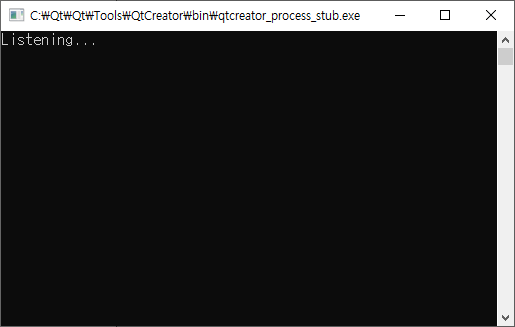
예제를 빌드해서 서버를 실행 하고
server.png


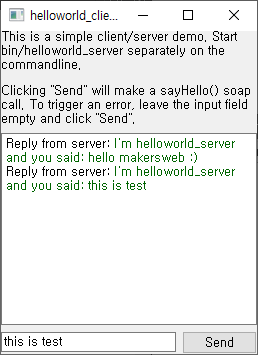
클라이언트를 실행하여 메세지를 보내본다.

client.png


로컬(localhost)에서 서버와 클라이언트 프로세스간 통신하는데도 사용할 수 있다.

TAG •

  1. No Image notice

    Qt프로그래밍(QtQuick) Beginner를 위한 글 읽는 순서

    Date2019.01.05 CategoryQML and Qt Quick By운영자 Views447733
    read more
  2. UI 폼(Form)작성 시 탭 순서(Tab Order) 설정

    Date2020.08.24 CategoryGeneral and Desktop Bymakersweb Views14451
    Read More
  3. No Image

    Qt로 데이터를 직렬화(serialization)하는 방법

    Date2020.08.04 CategoryC++ Class Bymakersweb Views8717
    Read More
  4. 최초의 Qt 6.0 스냅샷 제공 (First Qt 6.0 Snapshot Available)

    Date2020.06.21 CategoryQt 6 Byj2doll Views12337
    Read More
  5. Qt MQTT 에 대해서

    Date2020.06.02 CategoryMobile and Embedded Bymakersweb Views11891
    Read More
  6. Embedded Linux 에서 Qt 및 Graphics Stack

    Date2020.05.27 By운영자 Views8525
    Read More
  7. ShaderEffect QML Type을 이용한 버튼 클릭 효과

    Date2020.05.22 CategoryQML and Qt Quick Bymakersweb Views10047
    Read More
  8. Qt기반의 서버와 클라이언트간 SOAP(Simple Object Access Protocol)

    Date2020.05.11 CategoryGeneral and Desktop Bymakersweb Views14082
    Read More
  9. No Image

    재진입(Reentrancy) 및 스레드 안전성(Thread-Safety)

    Date2020.04.19 CategoryC++ Class Bymakersweb Views11178
    Read More
  10. No Image

    Qt 5.15 및 Qt 6의 출시 일정

    Date2020.04.09 CategoryQt 6 Bymakersweb Views10935
    Read More
  11. 콘솔에서 사용자 입력받기

    Date2020.03.22 CategoryGeneral and Desktop Bymakersweb Views60401
    Read More
  12. No Image

    컨테이너 클래스 - QVector

    Date2020.03.17 CategoryC++ Class Bymakersweb Views10618
    Read More
  13. Qt로 작성된 안드로이드 APP에 Splash Screen을 추가

    Date2020.03.10 CategoryMobile and Embedded Bymakersweb Views11814
    Read More
  14. No Image

    QLabel의 텍스트 색과 배경색을 변경

    Date2020.02.25 CategoryC++ Class Bymakersweb Views15534
    Read More
  15. 라즈베리파이4에 대한 Qt 5.14.1 크로스컴파일

    Date2020.02.12 CategoryMobile and Embedded Bymakersweb Views13154
    Read More
  16. QOpenGLWidget 을 투명하게 적용

    Date2020.02.05 CategoryGeneral and Desktop Bymakersweb Views9286
    Read More
  17. No Image

    2020년에 변경되는 Qt 오퍼 (Qt offering changes 2020)

    Date2020.01.31 CategoryGeneral and Desktop Byj2doll Views15473
    Read More
  18. No Image

    Qt로 XML 파싱 : Qt 6에서 업데이트된 (Parsing XML with Qt: Updates for Qt 6)

    Date2020.01.16 CategoryQt 6 Byj2doll Views21784
    Read More
  19. No Image

    Qt 멀티 스레드 프로그래밍 시 유의해야 할 몇 가지

    Date2020.01.13 CategoryGeneral and Desktop Bymakersweb Views13831
    Read More
  20. ApplicationWindow 와 메뉴바(MenuBar)구성

    Date2020.01.04 CategoryQML and Qt Quick Bymakersweb Views15658
    Read More
  21. No Image

    QThread 소개 및 예제

    Date2019.12.25 CategoryC++ Class Bymakersweb Views29039
    Read More
Board Pagination Prev 1 2 3 4 5 6 9 Next
/ 9